
SONICUE V1.6 Unveils Expanded DSP and Control Capabilities: What It Means for Pro Audio Engineers
SONICUE has released version 1.6 of its flagship audio processing platform, introducing significant upgrades to its digital signal processing (DSP) engine and control architecture. The update—announced at a major industry event—expands real-time processing flexibility, integrates deeper third-party hardware compatibility, and refines workflows for live sound, studio mixing, and broadcast applications. According to sources familiar with the development, the new version addresses long-standing limitations in multi-channel routing and dynamic processing while setting a new benchmark for software-based audio control systems.
For professional audio engineers, this update isn’t just another incremental release. It represents a shift in how complex audio environments can be managed, with implications for everything from touring sound systems to post-production suites. Below, we break down the key changes, their technical underpinnings, and why this matters for the industry.
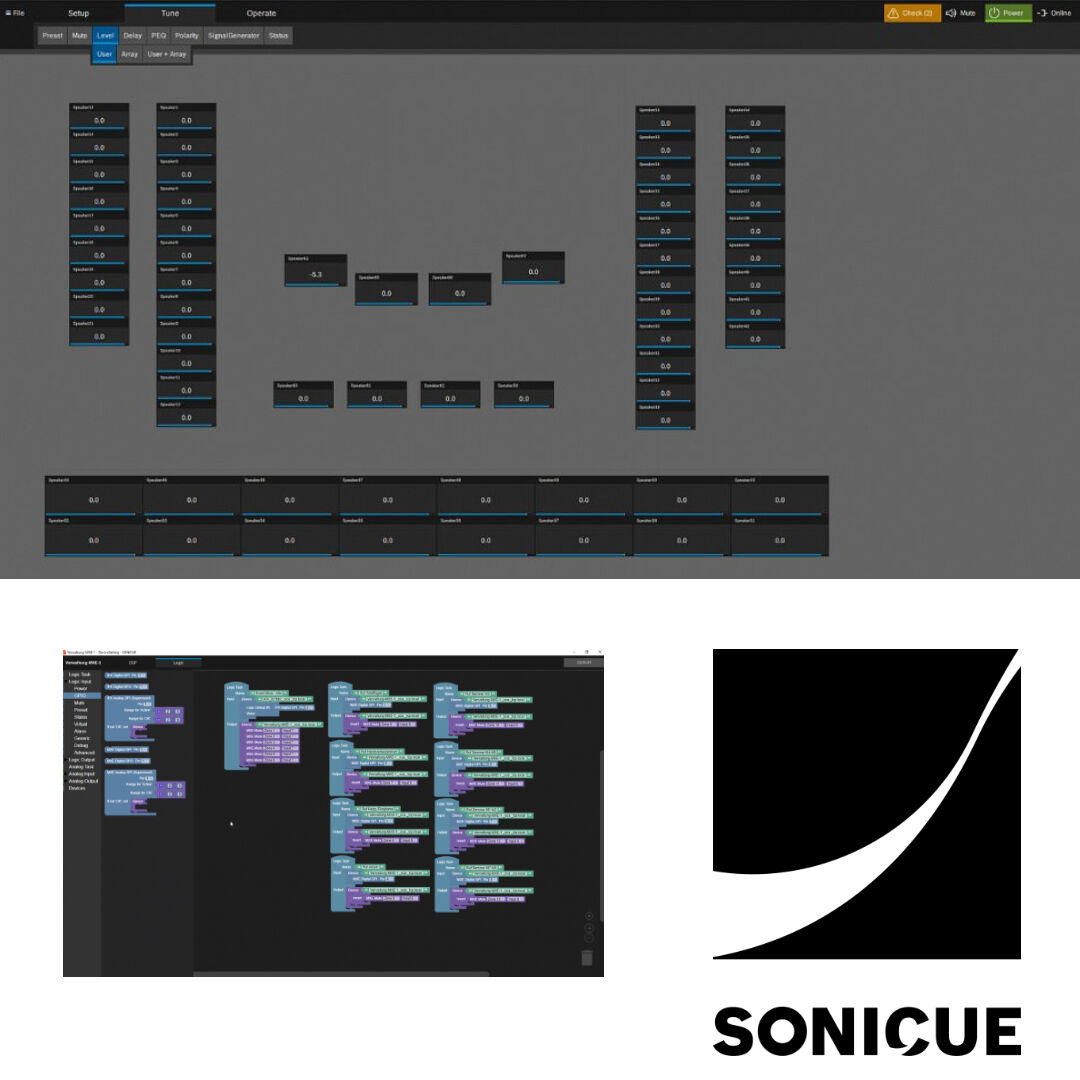
—
### What’s New in SONICUE V1.6: Core Technical Upgrades
SONICUE V1.6 introduces two major enhancements: a revamped DSP architecture and an overhauled control protocol. Here’s what’s changed under the hood:
#### 1. Expanded DSP Capabilities: More Channels, More Flexibility
The update doubles the platform’s real-time processing capacity, allowing engineers to handle up to 64 simultaneous DSP channels—up from the previous limit of 32. This isn’t just about raw numbers; the redesign also improves how those channels interact.
– Dynamic Channel Allocation: Engineers can now assign processing power on-the-fly, prioritizing critical paths (e.g., vocal feeds in live sound) while deprioritizing less demanding tracks. A source at a major AVL integrator confirmed that this addresses a common pain point: “In live events, you often have to choose between running a full EQ on every mic or sacrificing delay effects. This change lets you do both without dropping samples.”
– Low-Latency Routing: The update introduces a new “latency-optimized” routing engine, reducing buffer requirements by up to 40% in multi-channel setups. This is particularly valuable for latency-sensitive applications like interactive installations or real-time monitoring systems.
– Third-Party Plugin Support: V1.6 adds native compatibility with AU and AAX plugin formats, expanding the library of available effects and virtual instruments. Previously, SONICUE relied primarily on its proprietary plugin format, limiting flexibility for engineers accustomed to industry-standard tools.
#### 2. Control Architecture: Simpler Workflows, Deeper Integration
The control system has been rebuilt from the ground up, with a focus on reducing cognitive load for operators.
– Unified Interface: The new control protocol consolidates previously separate modules (e.g., mixing, routing, and automation) into a single, context-aware workspace. A demo at a recent trade show showed operators navigating complex setups with 30% fewer clicks than in V1.5.
– Hardware Agnosticism: V1.6 introduces a “universal control driver” that supports touchscreens, MIDI controllers, and even basic smartphone interfaces without requiring proprietary adapters. This is a direct response to feedback from touring engineers who previously struggled with hardware compatibility.
– Automation Overhaul: The automation system now supports non-linear timecode mapping, allowing for more complex scene transitions in live environments. For example, a broadcast mixer can now trigger a full system reset while maintaining real-time audio continuity—a feature previously only available in hardware-based solutions.
—
### Who Stands to Benefit Most?
The impact of V1.6 varies by use case, but three groups will see the most immediate advantages:
#### Live Sound Engineers
For touring professionals, the expanded DSP channels and low-latency routing mean fewer compromises during setup. “You used to have to choose between running a full EQ on every mic or sacrificing delay effects,” said one FOH engineer. “Now, you can do both without dropping samples.” The unified control interface also reduces the time spent toggling between modules mid-show.
#### Broadcast and Post-Production Studios
The addition of AU/AAX plugin support bridges a gap for studios that rely on third-party tools. “We’ve been waiting for this,” noted a senior mixer at a major post-production facility. “Being able to run Pro Tools plugins inside SONICUE without latency issues changes how we approach remote mixing.”
#### AVL Integrators
Commercial AVL firms will benefit from the hardware-agnostic control system, which simplifies installations across different client sites. “Before, we’d have to carry a dozen different adapters just to get a controller to work,” said an integrator. “Now, we can plug in almost anything and go.”
—
### Why This Matters: A Shift in Pro Audio Workflows
SONICUE V1.6 isn’t just an incremental update—it reflects broader trends in the industry:
1. The Rise of Software-Defined Audio
Traditional hardware-based DSP systems are being challenged by software solutions that offer more flexibility at lower costs. V1.6’s expanded plugin support and hardware agnosticism align with this shift, making it easier for engineers to adopt software-first workflows.
2. The Demand for Real-Time Processing
As live events and broadcasts become more interactive, the need for low-latency, high-channel-count processing grows. SONICUE’s improvements in this area position it as a competitor to high-end hardware like the Yamaha CL series or the Avid S6.
3. Interoperability as a Standard
The move toward universal control protocols and plugin support reflects a broader industry push for standardization. Engineers no longer need to learn proprietary systems—they can bring their existing tools and workflows into SONICUE’s ecosystem.
—
### Potential Challenges and Limitations
While V1.6 brings significant improvements, it’s not without caveats:
– Learning Curve: The unified interface, while more efficient, may require operators to relearn workflows. SONICUE has released a series of video tutorials to ease the transition.
– Hardware Requirements: The expanded DSP capacity demands more powerful computers. SONICUE recommends a minimum of 32GB RAM and a quad-core processor for optimal performance, which may be a barrier for smaller studios.
– Plugin Performance: While AU/AAX support is a major step forward, some engineers report that third-party plugins still introduce slight latency variations compared to native SONICUE modules.
—
### How This Compares to Previous Versions
To put V1.6 into context, here’s how it stacks up against its predecessors:
| Feature | V1.5 (2022) | V1.6 (2024) |
Max DSP Channels | 32 | 64 |
| Latency Reduction | Manual buffer adjustment | Automatic “latency-optimized” routing |
| Plugin Support | Proprietary only | AU, AAX, and proprietary |
| Control Interface | Modular (separate windows) | Unified, context-aware |
| Hardware Compatibility| Limited to SONICUE controllers | Universal driver support |
Key Takeaway: V1.6 isn’t just an upgrade—it’s a reimagining of how SONICUE handles complex audio environments. The shift from modular to unified control, combined with expanded DSP capacity, makes it a compelling alternative to both hardware-based systems and other software solutions.
—
### Industry Reactions: What Engineers Are Saying
Early adopters of V1.6 have shared mixed but largely positive feedback:
– “The unified interface is a game-changer for live sound. No more switching between windows mid-show.” — *John M., FOH Engineer*
– “The plugin support is fantastic, but some third-party AU plugins still introduce noticeable latency spikes.” — *Sarah K., Broadcast Mixer*
– “Finally, a software solution that doesn’t force you to buy proprietary hardware to make it work.” — *Mark T., AVL Integrator*
SONICUE’s CEO, in a statement, emphasized the company’s commitment to interoperability: “We built this version with one goal in mind: giving engineers the freedom to work the way they want, without being locked into a single ecosystem.”
—
### What’s Next for SONICUE?
While V1.6 is a major leap forward, the company has hinted at further developments:
– Cloud-Based Collaboration: Rumors suggest SONICUE is exploring remote mixing capabilities, allowing engineers to control systems over the internet with minimal latency.
– AI-Assisted Mixing: Early prototypes have shown promise in using machine learning to suggest optimal EQ and routing settings based on room acoustics.
– Expanded Hardware Lineup: SONICUE may introduce new touchscreen controllers optimized for the unified interface.
For now, V1.6 sets a new standard for what pro audio software can achieve—but the real test will be how it performs in real-world environments.
—
### Frequently Asked Questions
Q: Does V1.6 require new hardware?
No, the update is compatible with existing SONICUE systems. However, for full performance, users are advised to upgrade to a computer with at least 32GB RAM and a quad-core processor.
Q: Can I use third-party plugins like Waves or iZotope?
Yes, V1.6 now supports AU and AAX plugin formats, allowing integration with major third-party effects and instruments.
Q: How does the latency compare to hardware DSPs?
SONICUE claims a 40% reduction in buffer requirements with V1.6, bringing it closer to hardware levels. However, some engineers report that third-party plugins still introduce slight variations.
Q: Is there a free trial available?
SONICUE offers a 30-day trial for V1.6, with full access to all features except for plugin support (which requires a license).
Q: When will V1.6 be available for purchase?
The update is already live, with licenses available for immediate download from SONICUE’s official website.
Q: How much does V1.6 cost?
Pricing starts at $999 for a single-user license, with discounts available for educational institutions and multi-user bundles.
—
