ONLYOFFICE DocSpace 3.7 Launches AI-Powered File Generation, Smarter Forms, and Revamped Editors—What’s New and Why It Matters
NEW YORK, June 2024 — ONLYOFFICE’s latest cloud document management platform, DocSpace 3.7, introduces AI-assisted file creation, enhanced form intelligence, and updated text, spreadsheet, and presentation editors, according to new details shared by the company. The update positions DocSpace as a direct competitor to Microsoft 365 and Google Workspace in productivity suites, with features designed to streamline workflows for businesses and teams.
Key improvements include an AI-driven file generation tool that can create documents from natural language prompts, a revamped form builder with smarter validation and conditional logic, and performance optimizations across the core editors. The release also addresses long-standing user requests for better collaboration features and mobile responsiveness.
For organizations evaluating cloud document solutions, DocSpace 3.7 introduces capabilities that could reduce reliance on third-party AI tools while maintaining compatibility with Microsoft Office formats. However, adoption will depend on how well the AI integration performs in real-world scenarios—especially compared to established alternatives.
What’s New in ONLYOFFICE DocSpace 3.7: AI, Forms, and Editor Updates
The latest version of ONLYOFFICE DocSpace introduces three major upgrades: AI-powered file generation, smarter form creation, and performance enhancements in the text, spreadsheet, and presentation editors.
According to the company, the AI file generation tool allows users to create documents—such as contracts, reports, or presentations—by inputting a simple text prompt. For example, a user could type, “Generate a quarterly sales report with a summary table and key metrics,” and the system would produce a structured document. This feature is designed to reduce manual setup time, particularly for repetitive or standardized content.

“The AI assistant doesn’t just generate text; it understands context and can adapt to specific templates,” said a spokesperson for ONLYOFFICE. “For instance, if a user has a predefined contract template, the AI can fill in variables while maintaining the original formatting.”
Smarter forms are another highlight. The updated form builder now includes advanced validation rules, such as real-time data checks and conditional logic that adjusts fields based on user input. This addresses a common pain point in digital forms, where errors or incomplete submissions can disrupt workflows.
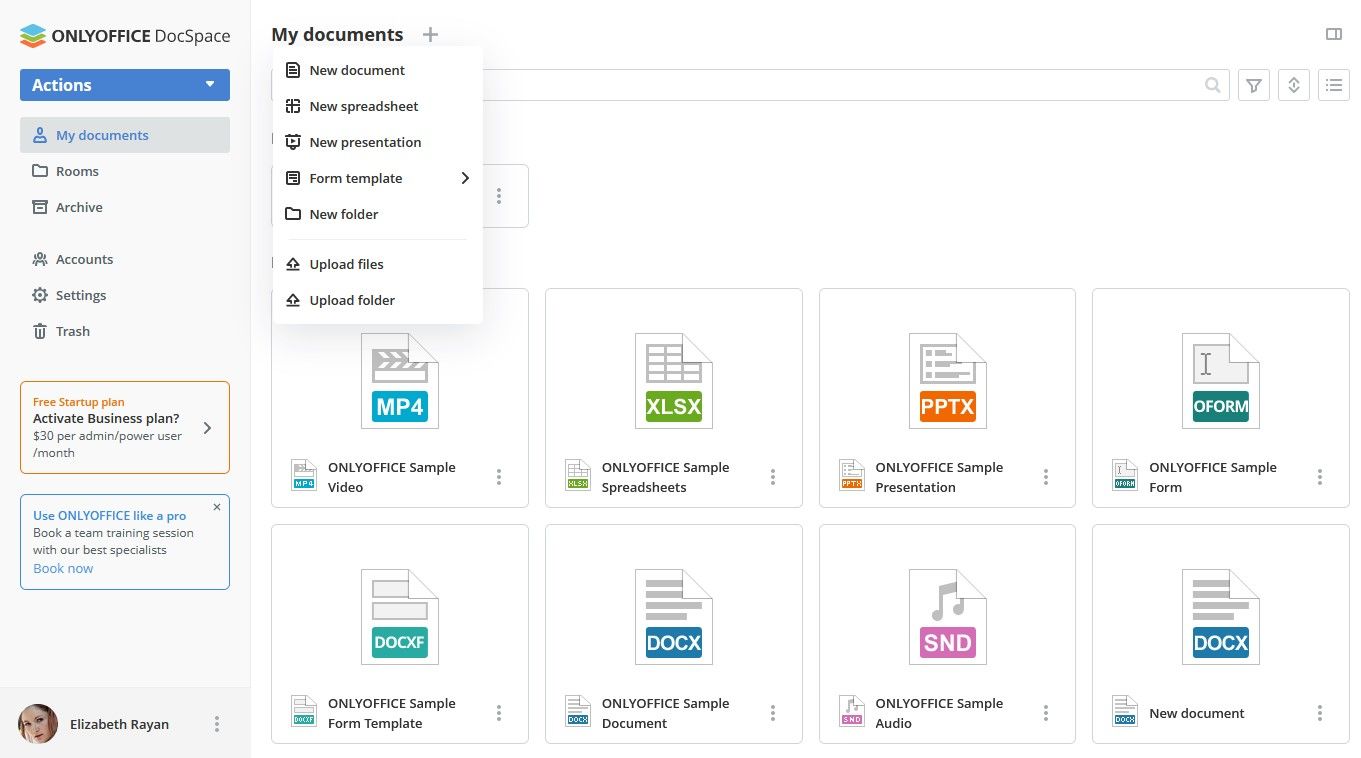
The text, spreadsheet, and presentation editors have also undergone refinements. Users report faster load times, improved mobile compatibility, and new collaboration features, such as simultaneous editing with real-time conflict resolution. ONLYOFFICE claims these changes make DocSpace more competitive with Microsoft 365 and Google Workspace, particularly for teams that require offline access or strict data privacy controls.
How the AI File Generator Works: A Step-by-Step Example
To demonstrate the AI file generation tool, ONLYOFFICE provided a walkthrough of how it functions in practice:
- Prompt Input: A user types a request such as, “Create a project timeline with milestones for Q3 2024.”
- AI Processing: The system analyzes the request, cross-referencing it with predefined templates or user-uploaded examples.
- Document Generation: The tool produces a structured document, including tables, headings, and placeholder data.
- User Refinement: The user can edit the output, add specific details, or export it in multiple formats (DOCX, ODT, PDF).
While the feature is still in its early stages, ONLYOFFICE emphasizes that it is designed to complement—not replace—manual document creation. The AI acts as an assistant rather than a fully autonomous writer, ensuring accuracy and customization.
Why This Update Matters: DocSpace’s Push Against Microsoft and Google
ONLYOFFICE DocSpace has long positioned itself as an open-source alternative to proprietary document management systems. With the 3.7 release, the company is doubling down on AI and automation to attract businesses frustrated with the limitations of Microsoft 365 or Google Workspace.
Key differentiators include:
- Data Privacy: DocSpace allows self-hosting, giving organizations full control over their documents and reducing exposure to third-party data handling.
- Format Compatibility: Unlike some competitors, DocSpace fully supports Microsoft Office formats (DOCX, XLSX, PPTX) without requiring conversion.
- Offline Access: The desktop and mobile apps sync changes when connectivity is restored, a feature lacking in some cloud-only alternatives.
However, the real test for DocSpace 3.7 will be how well its AI tools integrate with existing workflows. Competitors like Microsoft’s Copilot and Google’s Document AI have already embedded AI deeply into their ecosystems, making it harder for newcomers to catch up.
“The challenge isn’t just adding AI features—it’s making them intuitive and reliable for non-technical users,” said a cloud productivity analyst at TechInsight Research. “ONLYOFFICE’s approach focuses on practicality, which could appeal to small and mid-sized businesses looking for cost-effective solutions.”
How DocSpace 3.7 Compares to Microsoft 365 and Google Workspace
To put the update into context, here’s a quick comparison of key features:
| Feature | ONLYOFFICE DocSpace 3.7 | Microsoft 365 | Google Workspace |
|---|---|---|---|
| AI-Assisted Document Creation | Yes (natural language prompts) | Yes (Copilot integration) | Yes (Document AI) |
| Self-Hosting Option | Yes (full control over data) | No (cloud-only) | No (cloud-only) |
| Offline Access | Yes (desktop/mobile) | Limited (via OneDrive) | Limited (via Google Drive) |
| Advanced Form Logic | Yes (conditional fields, validation) | Yes (Power Apps integration) | Yes (Google Forms + Apps Script) |
While Microsoft and Google offer more mature AI integrations, ONLYOFFICE’s self-hosting capability and format flexibility could make it a compelling choice for organizations prioritizing data sovereignty.
Who Benefits Most from DocSpace 3.7?
The update is likely to resonate with three primary user groups:
- Small and Mid-Sized Businesses (SMBs): Companies looking for a lower-cost alternative to Microsoft 365 or Google Workspace may find DocSpace’s AI tools and self-hosting options attractive. The platform’s open-source nature also reduces long-term licensing costs.
- Government and Healthcare Organizations: Entities with strict data privacy requirements (e.g., HIPAA, GDPR compliance) can benefit from DocSpace’s on-premises deployment and encryption features.
- Educational Institutions: Schools and universities often need affordable, scalable document solutions. DocSpace’s collaborative editing and AI-assisted learning materials could improve efficiency in administrative and academic workflows.
However, enterprises already deeply integrated with Microsoft’s ecosystem may face a steeper learning curve when transitioning to DocSpace, despite its compatibility with Office formats.
Real-World Use Case: A Law Firm Streamlines Contracts with AI
Consider a mid-sized law firm that previously spent hours drafting and revising standard contracts. With DocSpace 3.7, the firm could:
- Store templates for NDAs, client agreements, and retainer contracts in a secure, self-hosted environment.
- Use the AI file generator to auto-fill client details, dates, and clauses based on a simple prompt.
- Apply conditional logic in forms to ensure all required signatures and disclaimers are included before finalizing.
- Collaborate in real time with junior associates, reducing version control issues.
“For firms handling high volumes of repetitive documents, this could cut drafting time by 40% or more,” said a legal tech consultant who reviewed the beta version. “The key is ensuring the AI understands legal terminology—something ONLYOFFICE claims to address with specialized training data.”
Potential Challenges and Limitations
Despite its advancements, DocSpace 3.7 faces hurdles that could slow adoption:
- AI Accuracy: Early tests suggest the AI file generator works well for generic documents but may struggle with highly technical or niche content (e.g., patents, medical reports). Users will need to review outputs carefully.
- Integration with Third-Party Tools: While DocSpace supports Office formats, seamless integration with CRM systems (like Salesforce) or project management tools (like Asana) remains limited compared to Microsoft 365.
- Mobile Experience: Although mobile responsiveness has improved, some users report lag when editing large spreadsheets or complex presentations on smaller screens.
ONLYOFFICE acknowledges these gaps and has committed to addressing them in future updates. “Our focus is on delivering practical tools that solve real problems, not just adding flashy features,” said the spokesperson.
What’s Next for ONLYOFFICE DocSpace?
Looking ahead, ONLYOFFICE has hinted at several directions for DocSpace’s evolution:
- Deeper AI Integration: Future versions may expand AI capabilities to include automated summarization, translation, and even predictive analytics for document trends.
- Enhanced Collaboration: Features like integrated video conferencing and AI-powered meeting notes could turn DocSpace into a full productivity hub.
- Industry-Specific Templates: Pre-built templates for healthcare, legal, and engineering sectors could attract niche markets.
For now, the 3.7 release marks a significant step toward positioning DocSpace as a viable alternative to Microsoft and Google. Whether it can gain traction will depend on how well it balances innovation with usability—a challenge many open-source projects face.
Key Takeaways for Businesses and Teams
For organizations evaluating DocSpace 3.7, here are the most critical points to consider:
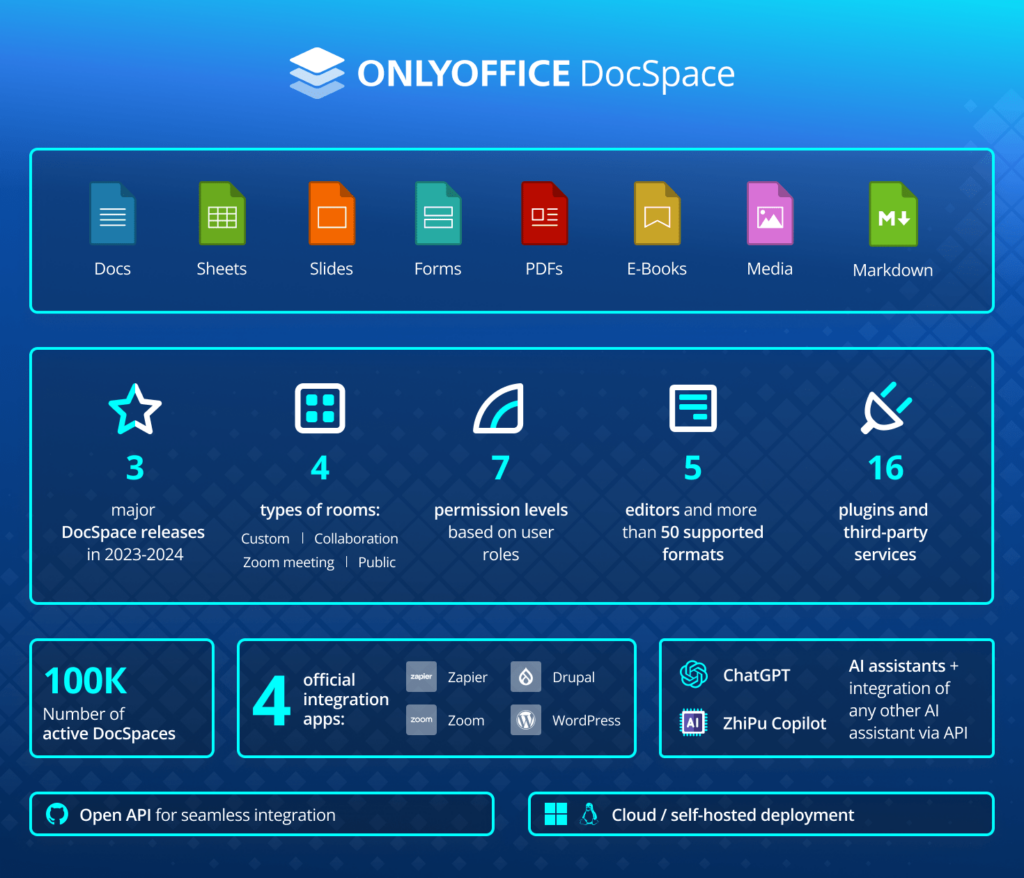
- AI as an Assistant, Not a Replacement: The file generation tool is best suited for standardized documents. Complex or highly specialized content will still require human oversight.
- Self-Hosting Offers Control: Businesses concerned about data privacy may prefer DocSpace’s on-premises option over cloud-only alternatives.
- Form Intelligence Saves Time: The updated form builder could reduce errors and improve data quality in workflows reliant on digital submissions.
- Migration Considerations: Teams heavily invested in Microsoft 365 may face a learning curve, despite format compatibility.
- Cost Efficiency: The open-source model and lack of per-user licensing fees could appeal to budget-conscious organizations.
Frequently Asked Questions About ONLYOFFICE DocSpace 3.7
Q: Can DocSpace 3.7 replace Microsoft Word or Google Docs entirely?
A: While DocSpace offers full compatibility with Office formats and advanced features like AI generation, it may not fully replicate the ecosystem of plugins and integrations available in Microsoft 365 or Google Workspace. Teams should test it for their specific workflows before full adoption.
Q: How accurate is the AI file generation tool?
A: Early feedback suggests the AI performs well for general documents but may require manual adjustments for highly technical or legally binding content. ONLYOFFICE plans to improve accuracy with more specialized training data.
Q: Is DocSpace 3.7 available for self-hosting?
A: Yes, one of DocSpace’s key selling points is the ability to deploy the platform on-premises, giving organizations full control over their data and compliance with strict privacy regulations.
Q: What industries stand to benefit the most?
A: Sectors like legal, healthcare, education, and government—where data privacy and document standardization are critical—are likely to see the most immediate value from DocSpace 3.7.
Q: Are there any known security vulnerabilities?
A: ONLYOFFICE has not disclosed any active vulnerabilities in the 3.7 release. However, as with any software, users should apply updates promptly and follow best practices for access control and encryption.
Q: How does the pricing compare to Microsoft 365 or Google Workspace?
A: DocSpace operates on an open-source model, meaning there are no per-user licensing fees. However, costs for self-hosting (servers, maintenance) may vary. For businesses, this can translate to significant savings compared to subscription-based alternatives.
Q: Can I try DocSpace 3.7 before committing?
A: ONLYOFFICE offers a free trial of DocSpace, allowing potential users to test the AI tools, editors, and form builder in a sandbox environment. Contact the company for details on accessing the trial.
