Ontario Tech Expert Shares Student Laptop Buying Tips and Workload Advice
Rising operating system bloat and local artificial intelligence demands are shrinking the utility of traditional entry-level student computers.

For years, budget-conscious students and parents operated under a straightforward rule of thumb: a $600 baseline could reliably secure a functional computer for everyday academic demands. Today, that conventional financial boundary faces an aggressive squeeze. Operating system bloat and the hardware demands of emerging software are rapidly encroaching on those traditional entry-level hardware limits, leaving budget systems increasingly vulnerable to performance bottlenecks.
The friction between static price expectations and inflating resource requirements has turned basic computer shopping into an exercise in compromise. According to Kevin Jia, CEO and co-founder of the Toronto-based custom computer company Quoted Tech, the most common pitfall for buyers is shopping by price tag or chasing flashy specification numbers rather than evaluating actual workload requirements, as noted in reporting by Simcoe.
Related YouTube video


When configuring a machine for around $600, Jia identifies a practical starting point for everyday student tasks — such as web browsing, document editing, and video calls — as 8GB of random access memory paired with a 256GB solid-state drive. While storage capacity can easily be supplemented later via external drives or cloud storage, temporary memory presents a harder ceiling. An allocation of 8GB of RAM can quickly become restrictive once a student begins heavy multitasking across multiple browser tabs, communication apps, and document editors simultaneously. Students pursuing graphics-intensive fields like engineering, design, or video production face demands that far exceed what an entry-level budget machine can support.
Compounding these student hardware challenges are systemic shifts in operating system architecture. Industry analysis from 36Kr highlights that Microsoft's operating system resource management has long relied on the assumption that hardware performance will continuously outpace software expansion. Background services, legacy compatibility frameworks, and integrated ecosystem bundles have steadily accumulated within Windows. Historically, hardware manufacturers simply covered up these inefficiencies by packing in faster processors and extra memory. However, the emergence of local artificial intelligence features, which require dedicated resources to load models, maintain indexes, and process continuous background data, means that system overhead now directly competes with active applications for the same running space.
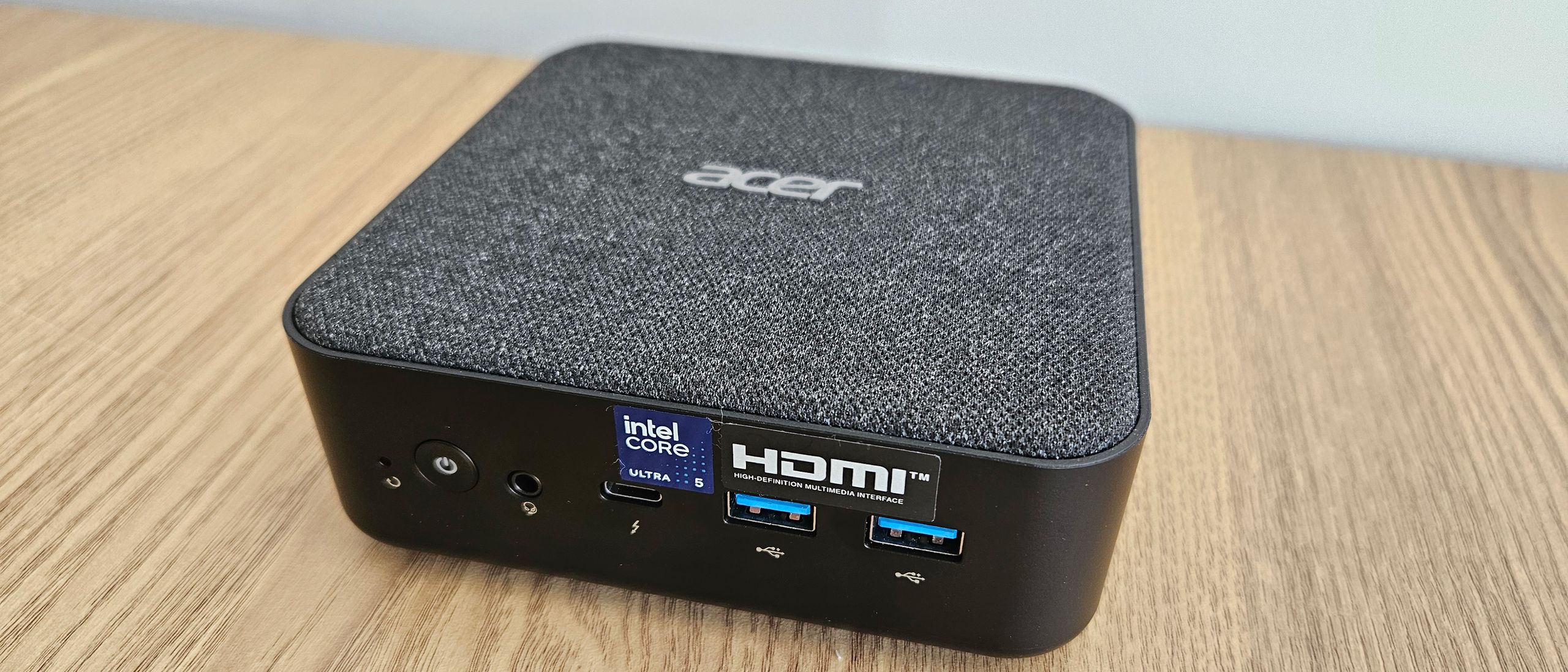
This resource tension is clearly visible in the mid-range desktop market. Acer’s Revo RB-102 mini PC, priced at £589, pairs an Intel Core Ultra 5 125U processor with 8GB of DDR5 RAM and a 512GB SSD. Reviews from Itpro note that while the Meteor Lake-based chip integrates a modest neural processing unit capable of running light AI features like Windows Studio Effects, the inclusion of only 8GB of memory holds the system back, resulting in a machine that can occasionally run noisily and struggle to navigate applications as smoothly as higher-tier alternatives.
Evaluating long-term value requires looking beyond immediate specifications to factors such as upgradeability and serviceability. Jia advises buyers to examine whether storage drives can be swapped or if memory is permanently soldered to the motherboard, while also carefully checking warranty coverage and the health of refurbished components before purchasing. With operating system developers under increasing pressure to re-optimize memory performance for restricted hardware configurations, the central question remains whether Microsoft's recent efforts to slim down basic system overhead will actually free up enough running space for everyday users, or if hardware buyers will ultimately be forced to absorb higher costs for upgraded specifications.
Evaluating Operating System Resource Bloat and Long-Term Value
Industry analysis from 36Kr highlights that Microsoft's operating system resource management has long operated on the assumption that hardware performance would indefinitely outpace software expansion. Background services, legacy compatibility frameworks, and integrated ecosystem bundles have steadily accumulated within Windows, with hardware manufacturers historically masking these inefficiencies by packing in faster processors and extra memory. However, the emergence of local artificial intelligence features, which require dedicated resources to load models, maintain indexes, and process continuous background data, means that system overhead now directly competes with active applications for running space. This structural friction is visible in the mid-range desktop market, where devices such as Acer's Revo RB-102 mini PC pair a Meteor Lake-based Intel Core Ultra 5 125U processor with 8GB of DDR5 RAM and a 512GB SSD. Reviews from Itpro note that while the chip integrates a modest neural processing unit capable of running light AI features like Windows Studio Effects, the inclusion of only 8GB of memory holds the system back, resulting in a machine that can occasionally run noisily and struggle to navigate applications as smoothly as higher-tier alternatives.
| Device | Price | Processor | Memory & Storage | Geekbench 6 Multi-Core |
|---|---|---|---|---|
| Acer Revo RB-102 | £589 | Intel Core Ultra 5 125U | 8GB DDR5 RAM, 512GB SSD | 6,869 |
| Acemagic Kron Mini K1 | Comparable | Intel Core i5-12600H | Not specified | 5,508 |
| Acemagic Matrix Mini M1 | Roughly £150 less | Intel Core i9-13900HK | 32GB RAM | 8,912 |
Evaluating long-term value requires looking beyond immediate specifications to factors such as upgradeability and serviceability. According to Kevin Jia, CEO and co-founder of the Toronto-based custom computer company Quoted Tech, buyers should examine whether storage drives can be swapped or if memory is permanently soldered to the motherboard, while also carefully checking warranty coverage and the health of refurbished components before purchasing, as reported by Simcoe. With operating system developers under increasing pressure to re-optimize memory performance for restricted hardware configurations, the central question remains whether Microsoft's recent efforts to slim down basic system overhead will actually free up enough running space for everyday users, or if hardware buyers will ultimately be forced to absorb higher costs for upgraded specifications. For parents preparing for the academic term, the next step is to examine program software requirements and assess available retail options before classes begin.
How significant is this development?
Contribute your assessment to the aggregated reader intelligence ledger.
Archypedia is dedicated to independent, evidence-backed reporting. This briefing was synthesized from primary source reporting, corroborated across independent newsrooms, and verified against our Editorial Standards.
Transparency record
Evidence behind this report
This report synthesizes 4 distinct sources. Open the source ledger below to compare the underlying coverage.
Prepared under the Archypedia Editorial Policy by the Niko Vale editorial desk profile. AI-assisted tools may support drafting and verification; public accountability remains with Archypedia. Report an error.


