
XBOX Insider Update Adds More Personalization, Easier Social Discovery, and Energy-Saving Improvements – XBOX Wire
Microsoft has released a new update for the Xbox Insider program that introduces enhanced user personalization, streamlined social discovery tools, and new energy-saving configurations, according to Xbox Wire. These changes aim to reduce the console’s power footprint while making the user interface more intuitive and social for individual players.
What are the primary changes in the latest Xbox Insider update?
The latest update focuses on three distinct pillars of the user experience: personalization, social connectivity, and hardware efficiency. According to Xbox Wire, the update allows users to further tailor their dashboard and interface to match their specific gaming habits. This move shifts the Xbox OS away from a one-size-fits-all layout toward a dynamic environment that prioritizes the content most relevant to the individual user.
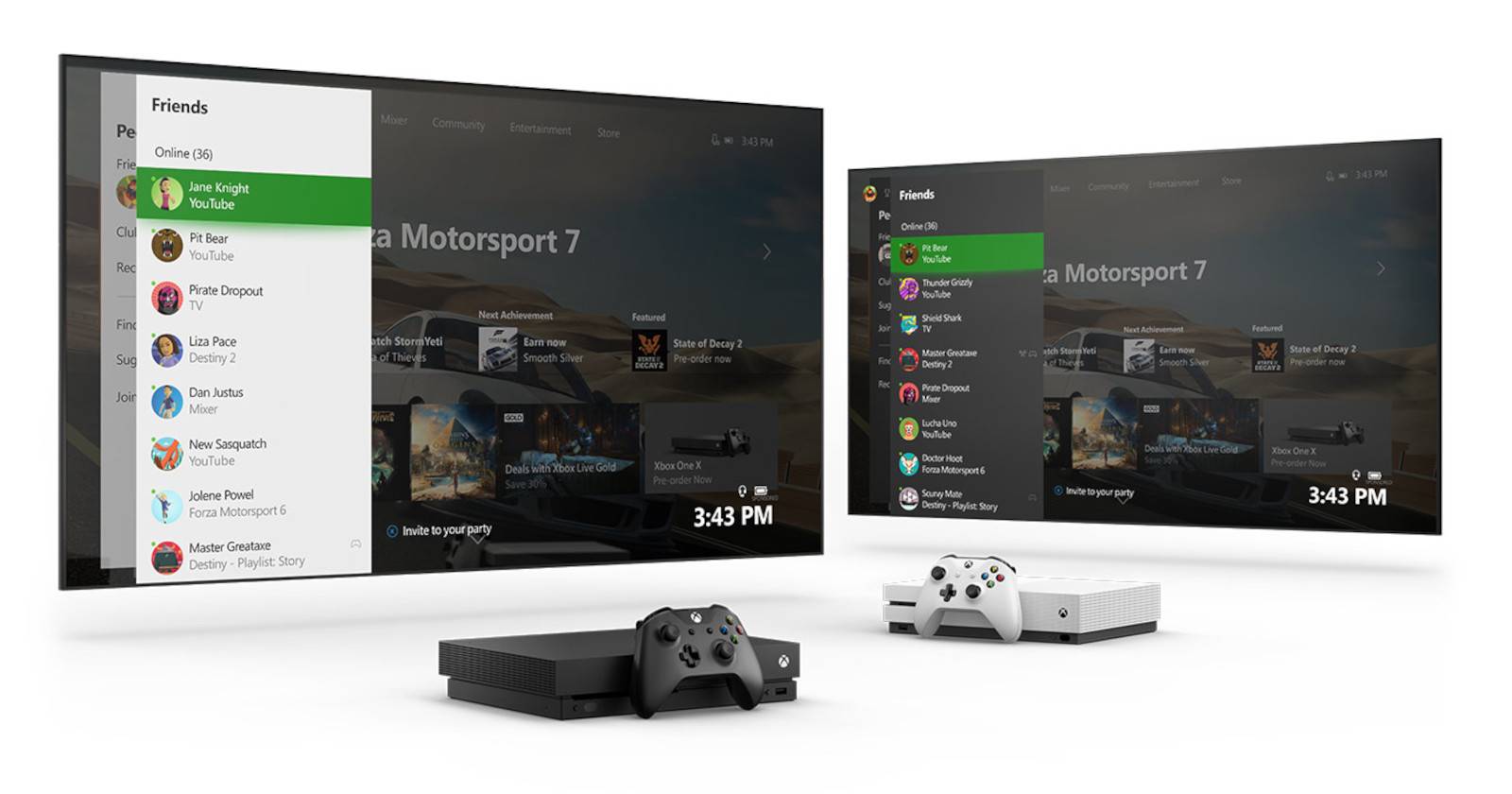
In addition to visual and layout changes, Microsoft is testing new ways for players to find others. The “social discovery” aspect of the update targets the friction often found when trying to find new teammates or communities for specific titles. By simplifying the path from the home screen to active gaming groups, Microsoft intends to increase the “stickiness” of its ecosystem.
The third pillar involves power management. The energy-saving improvements are designed to give users more granular control over how their console consumes electricity during standby and active play. This is a response to both global energy cost increases and broader corporate sustainability goals.
- Personalization: Customizable dashboard elements and refined content prioritization.
- Social Discovery: Reduced steps to find and join gaming communities and friends.
- Energy Efficiency: New power-saving modes and optimized background activity.
How does the new social discovery system work?
Social discovery on Xbox has historically relied on existing friend lists or the “Looking for Group” (LFG) feature. According to the update details from Xbox Wire, the new improvements aim to make these connections more organic. The goal is to allow players to discover others based on shared interests, skill levels, or specific game milestones without requiring a pre-existing social link.
This shift reflects a broader trend in the gaming industry where platforms are moving toward “community-first” discovery. Rather than searching for a specific username, users can now more easily identify active groups that match their current gaming session’s intent. This reduces the time spent in menus and increases the time spent in active gameplay.
Industry analysts note that improving social discovery is a strategic move to compete with third-party communication hubs like Discord. By integrating these discovery tools directly into the OS, Microsoft reduces the need for players to leave the Xbox ecosystem to coordinate their sessions.
What are the specific energy-saving improvements for Xbox consoles?
Microsoft is introducing refined power settings that allow the console to enter deeper sleep states while maintaining the ability to perform essential background tasks. According to Xbox Wire, these improvements target the “idle” power draw, which has been a point of contention for users concerned about electricity bills and environmental impact.

The update optimizes how the console handles “Quick Resume” and background updates. While these features are highly valued for convenience, they require the console to maintain a level of power readiness that prevents a full shutdown. The new energy-saving tweaks aim to find a more efficient balance, reducing the wattage required to keep these features active.
| Power Mode | Primary Benefit | Trade-off |
|---|---|---|
| Energy Saver | Lowest power consumption; reduced carbon footprint. | Slower boot times; limited background updates. |
| Sleep/Standby | Fast resume; remote wake-up capabilities. | Higher idle power draw than Energy Saver. |
| Full Power | Maximum performance; instant access to all features. | Highest electricity usage. |
These changes align with European Union energy labeling standards, which have become increasingly strict regarding the standby power consumption of home electronics. By refining these modes, Microsoft ensures its hardware remains compliant with international regulations while offering users a choice between convenience and cost.
Why is personalization a priority for the Xbox dashboard?
The push for personalization is a response to the growing volume of content available via Xbox Game Pass. With hundreds of titles available, the “paradox of choice” can lead to user fatigue. According to Xbox Wire, the personalization updates are designed to surface games and apps that the user actually plays, rather than promoting a generic list of trending titles.
This involves a more intelligent use of metadata and user behavior tracking. The dashboard can now better adapt to whether a user is a “hardcore” gamer who prioritizes performance metrics and achievement tracking, or a “casual” gamer who prefers quick access to a few favorite titles. This flexibility ensures that the interface does not feel cluttered with irrelevant information.
This approach mirrors the evolution of streaming services like Netflix or Spotify, where the home screen is essentially a unique entity for every single subscriber. By applying this logic to the Xbox OS, Microsoft is attempting to make the console feel more like a personalized service than a static piece of hardware.
How does the Xbox Insider program facilitate these updates?
The Xbox Insider program acts as a multi-tiered testing environment. Before any feature reaches the general public, it passes through various “rings” of testers. According to Microsoft’s internal deployment structure, these rings are typically categorized by the level of stability the build offers.
- Alpha Ring: The earliest, most unstable builds. These are used to test raw functionality and identify critical bugs.
- Beta Ring: More stable versions where the focus shifts to usability, polishing, and performance optimization.
- Omega Ring: The final stage of testing, which closely mirrors the public release.
By using the Insider program, Microsoft can gather telemetry data from thousands of real-world scenarios. For example, the energy-saving improvements are tested across various power grids and hardware configurations to ensure they don’t cause system crashes or data corruption during sleep cycles. This iterative process allows the company to pivot quickly if a personalization feature is poorly received or if a social tool creates unforeseen privacy issues.
Users who join the Insider program provide a vital feedback loop. When a user reports a bug in the personalization menu, that data is routed directly to the engineering teams, allowing for a patch to be developed before the update ever reaches a standard retail console.
Comparing the current update to previous OS iterations
The current focus on “discovery” and “efficiency” marks a departure from previous Xbox updates, which were primarily focused on raw performance and UI speed. In earlier cycles, the priority was reducing the time it took to boot the console or launch a game. Now that the hardware (Xbox Series X|S) has largely solved the speed issue through NVMe SSDs, the focus has shifted to the quality of the time spent in the UI.
While previous updates added “widgets” or “tiles,” the current update focuses on the logic behind those tiles. The transition from “static organization” to “dynamic personalization” represents a shift in philosophy. Microsoft is no longer just providing a menu; they are providing a curated experience.
Furthermore, the emphasis on energy saving is a new priority. In the Xbox One era, “Instant-On” was marketed as a luxury feature. Today, with the global push toward sustainability and the rising cost of living, the “Energy Saver” mode is being positioned as an essential tool for the modern consumer.
Potential implications for the wider gaming ecosystem
The integration of easier social discovery could have long-term effects on how indie games find an audience. If the Xbox OS can more effectively suggest “people playing [X indie game],” it creates a viral loop that doesn’t rely solely on external marketing or social media. This could potentially increase the visibility of smaller titles within the Game Pass library.
From a hardware perspective, the focus on energy efficiency may signal future hardware revisions. If telemetry shows that a vast majority of users prefer the “Energy Saver” mode, Microsoft may optimize future console iterations to be even more efficient at the silicon level, reducing the need for massive power bricks and improving heat management.
The personalization drive also opens the door for deeper AI integration. While the current updates are based on user-selected preferences and behavior, the infrastructure being built now could eventually support generative AI assistants that can suggest games based on a user’s mood or the time of day, further distancing the Xbox experience from that of a traditional game console.
Frequently Asked Questions
How do I join the Xbox Insider program to get these updates?
Users can join by downloading the Xbox Insider app from the Microsoft Store on their console. Once installed, users can sign up with their Microsoft account and choose which “ring” of testing they wish to participate in, according to official Xbox documentation.
Will these energy-saving improvements affect game performance?
No. According to Xbox Wire, the energy-saving improvements target the console’s power draw during standby, idle, and background states. They do not throttle the CPU or GPU during active gameplay, meaning frames-per-second (FPS) and resolution remain unaffected.
Can I undo the personalization changes if I don’t like them?
Yes. The personalization features are designed to be opt-in or adjustable. Users can navigate to the settings menu to reset their dashboard preferences or disable specific dynamic elements to return to a more traditional layout.
Is the social discovery feature safe for children?
Microsoft maintains standard safety and privacy settings for all social features. According to Microsoft’s safety guidelines, parents can use the Xbox Family Settings app to restrict who their children can communicate with, regardless of whether those connections were made through the new discovery tools.
When will these features be available to all Xbox users?
The timeline for public release varies. Features typically move from Alpha to Beta and then to the general public. While Xbox Wire confirms these are currently in the Insider program, a specific date for the general public rollout is usually announced shortly before the final update is pushed to all consoles.
As Microsoft continues to refine the Xbox experience, the focus remains on removing the barriers between the player and the game. By prioritizing personalization, social connectivity, and hardware efficiency, the company is attempting to evolve the console from a gaming machine into a comprehensive entertainment hub that adapts to the user’s life and environmental concerns. The success of these features will likely depend on the feedback gathered from the Insider community over the coming months.
